
AI Tools for Beginners

Here’s a surprising stat: most people who try an AI tool stop using it within a week. Not because it’s useless but because they don’t know where to start.
After years of working with content, SEO, and emerging tech, one thing is clear: the problem isn’t AI tools. It’s the lack of a clear starting point.
The good news? In 2026, AI tools are easier than ever to use. In this guide, you’ll learn:
Which tools to start with (based on your needs)
A simple 5-step system to become productive fast
The biggest mistakes beginners make (and how to avoid them)
What Are AI Tools for Beginners, Exactly?
AI tools for beginners are simple apps powered by machine learning that help you do tasks like:
Writing content
Researching topics
Summarizing documents
Creating images
The key difference? You don’t need technical skills. You just type what you want in plain English, and the tool responds.
For example:
“Summarize this article”
“Write an email reply”
“Explain this topic simply”
That’s it.
Unlike traditional software, you don’t need to learn commands. Tools like ChatGPT or Claude work like a conversation.
Tools like ChatGPT from OpenAI allow users to write, summarize, and generate ideas using simple natural language prompts.
Why Right Now Actually Matters (It’s Not Just Hype)
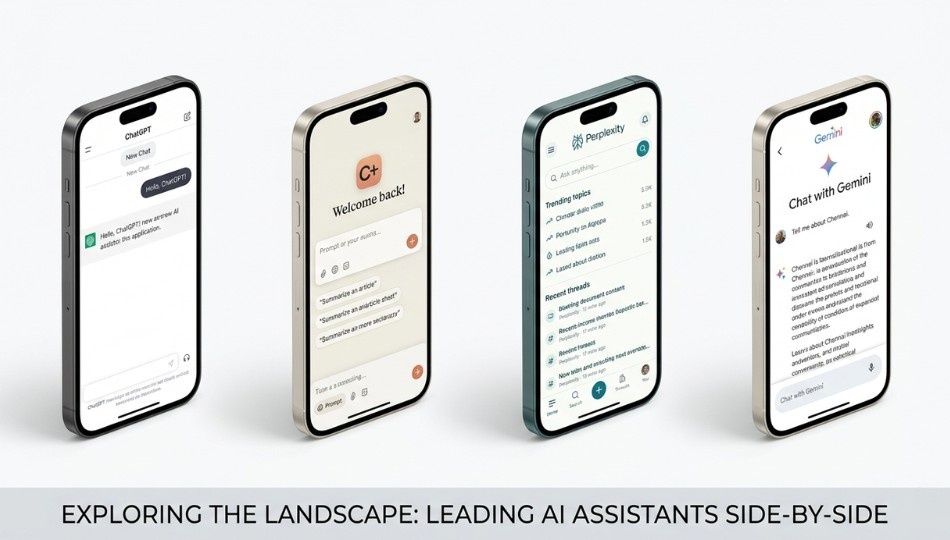
AI has been around for years, but something changed recently.
Earlier, AI tools looked impressive but were hard to use in real work. That gap is now mostly gone.
Today’s tools like:
ChatGPT
Claude
Gemini
…can handle real tasks, follow context, and give useful results consistently.
AI is rapidly evolving across industries, from content creation to healthcare. If you want to stay updated on breakthroughs, check out our Biotech AI News covering real-world innovations.
Why this matters for SEO and work
Search engines now reward real expertise and human input. That means:
Copy-pasting AI content won’t work
Using AI smartly gives you an advantage
Also, studies show people using AI tools finish tasks 25-40% faster. That’s not small—that’s hours saved every week.
And yet, most people still aren’t using AI regularly.
That’s your opportunity.
Search engines now prioritize helpful, people-first content. According to Google’s official guidelines on helpful content, creators should focus on real expertise rather than publishing generic AI-generated text.
How to Actually Start: The FIRST Framework
Most beginners get stuck because there are too many tools.
So here’s a simple system to follow:
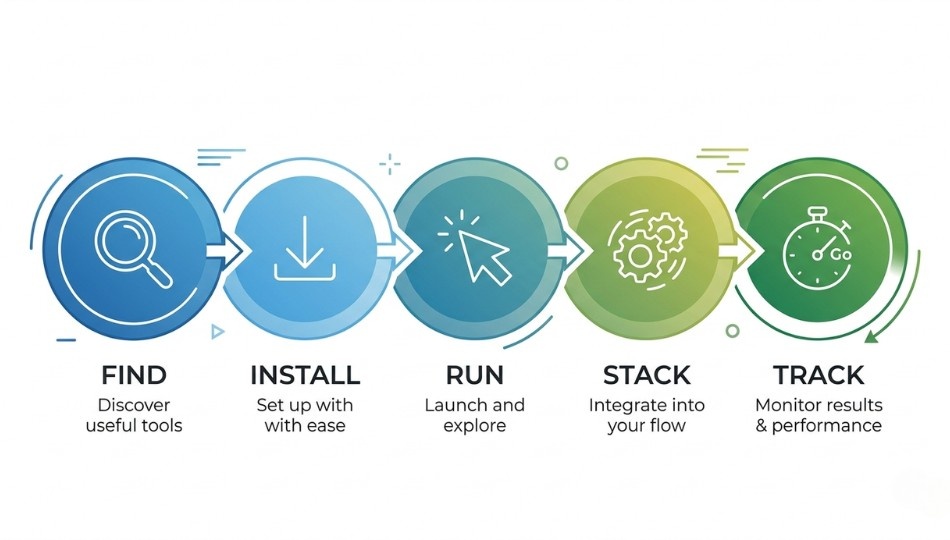
Step 1: Find Your Use Case
Don’t start with tools. Start with your problem.
Ask yourself:
What takes the most time in my week?
Writing emails?
Research?
Content creation?
Your answer decides your tool.
Step 2: Install One (and Only One) Tool
This is critical.
Don’t sign up for 5 tools. You’ll get confused and quit.
Start with:
Writing → Claude or ChatGPT
Research → Perplexity AI
Google users → Gemini
Step 3: Run Your First 5 Prompts (Properly)
Don’t test randomly.
Bad prompt:
“Tell me about AI”
Good prompt:
“Summarize this article into 5 simple bullet points”
Use real tasks from your work. That’s how you see value immediately.
Step 4: Stack and Integrate
After one week, add a second tool.
A simple beginner setup:
Writing → ChatGPT / Claude
Research → Perplexity AI
Design → Canva
Each tool has a role.
Step 5: Track Your Time Savings
At the end of the day, ask:
“What did AI help me finish faster today?”
Just one note per day is enough.
After 2 weeks, you’ll clearly see the impact and that builds the habit.
Best AI Tools for Beginners Compared: Which One Is Right for You?

Here are the tools that actually matter:
ChatGPT → General use (writing, ideas, coding basics)
Claude → Long content, deep thinking. Claude, developed by Anthropic, is especially useful for long-form writing and deep reasoning tasks.
Gemini → Google Docs, Sheets users
Perplexity AI → Research with sources
NotebookLM → Studying & summaries
Canva → Graphics & presentations
Microsoft Copilot → Word, Excel, PowerPoint
If you’re interested in how AI is used for search insights and automation, you can explore tools like Ziptie AI
Important truths beginners should know
Myth 1: You need paid tools
Not true. Free versions are enough for beginners.
Myth 2: One tool does everything
Also false. Each tool has strengths.
A practical tip
If you mainly work with text, start with Claude.
If you want flexibility, go with ChatGPT.
Pick based on your work—not popularity.
Real Results Beginners Are Getting in 2026
Let’s make this real.
A beginner using AI for writing:
Before → 6 hours per week
After → 1.5 hours
That’s not rare—it’s happening everywhere.
Common benefits after 30 days
1. Faster learning
You can ask AI to explain anything simply.
2. Less decision stress
AI helps you think through choices clearly.
3. Better writing
Even if you don’t use AI output, it improves your thinking.
Who benefits most?
-
Students
-
Content creators
-
Freelancers
-
Small business owners
Many businesses are now combining AI tools with data-driven systems to improve efficiency. For example, using Real-Time Analytics Platforms can help track performance and make faster decisions.
Who won’t benefit?
Anyone trying to avoid thinking completely.
AI helps you work faster—not think for you.
The 5 Beginner Mistakes That Kill Your Progress
If you’ve tried AI and quit, this is probably why:
1. Treating AI output as final
AI gives drafts not finished work.
2. Using vague prompts
Bad input = bad output.
Be specific.
3. Using too many tools at once
Stick to one tool first.
4. Ignoring wrong information
AI can make mistakes. Always verify important facts.
5. Expecting instant mastery
Give it 2–3 weeks. That’s all it takes.
Where to Go From Here
You don’t need to learn everything.
Just start.
Step 1: Pick one task that wastes your time
Step 2: Choose one tool
Step 3: Use it for 10 days
That’s it.
Use AI as a thinking partner not a replacement.
Open ChatGPT or Claude today, describe a real problem, and try it.
That first 20 minutes could change how you work every day.
Frequently Asked Questions
Yes. Tools like ChatGPT and Claude are built for beginners. No coding needed.
Start with:
ChatGPT
Claude
Perplexity AI
NotebookLM
Canva
5–10 days → noticeable results
2–3 weeks → comfortable usage
AI replaces tasks, not entire jobs.
People who use AI will outperform those who don’t.
Always double-check important information. Think of AI as a first draft assistant.
Yes but don’t share:
Passwords
Personal data
Confidential information
Google → finds websites
AI → explains and creates answers
Use both together for best results.