
What Is System Administration Software?
What Is System Administration Software? The Hidden Engine Running Your Entire IT Stack
Ever logged into your company’s email, CRM, or cloud drive and just… expected it to work?
That quiet reliability doesn’t happen by accident. It’s powered by system administration software – the behind-the-scenes toolkit that keeps servers running, users authenticated, networks secure, and updates flowing.
As someone who’s worked with IT teams for over a decade – supporting SaaS startups and mid-sized enterprises – I’ve seen what happens without it. Spoiler: 2 a.m. outages, frantic Slack threads, and someone whispering, “When was the last backup?”
Let’s fix that.
What Is System Administration Software? (Quick Definition)
System administration software is a category of tools that help IT professionals manage, monitor, configure, and secure computer systems, servers, networks, and user accounts. It works by automating routine tasks – like patch management, performance monitoring, user provisioning, and backups – so organizations can maintain uptime, security, and performance at scale.
According to IBM’s documentation on systems management, centralized administration reduces downtime and improves operational efficiency by automating repetitive infrastructure tasks. In large enterprises, this isn’t optional – it’s infrastructure oxygen.
Why System Administration Software Matters More in 2025 Than It Did in 2020
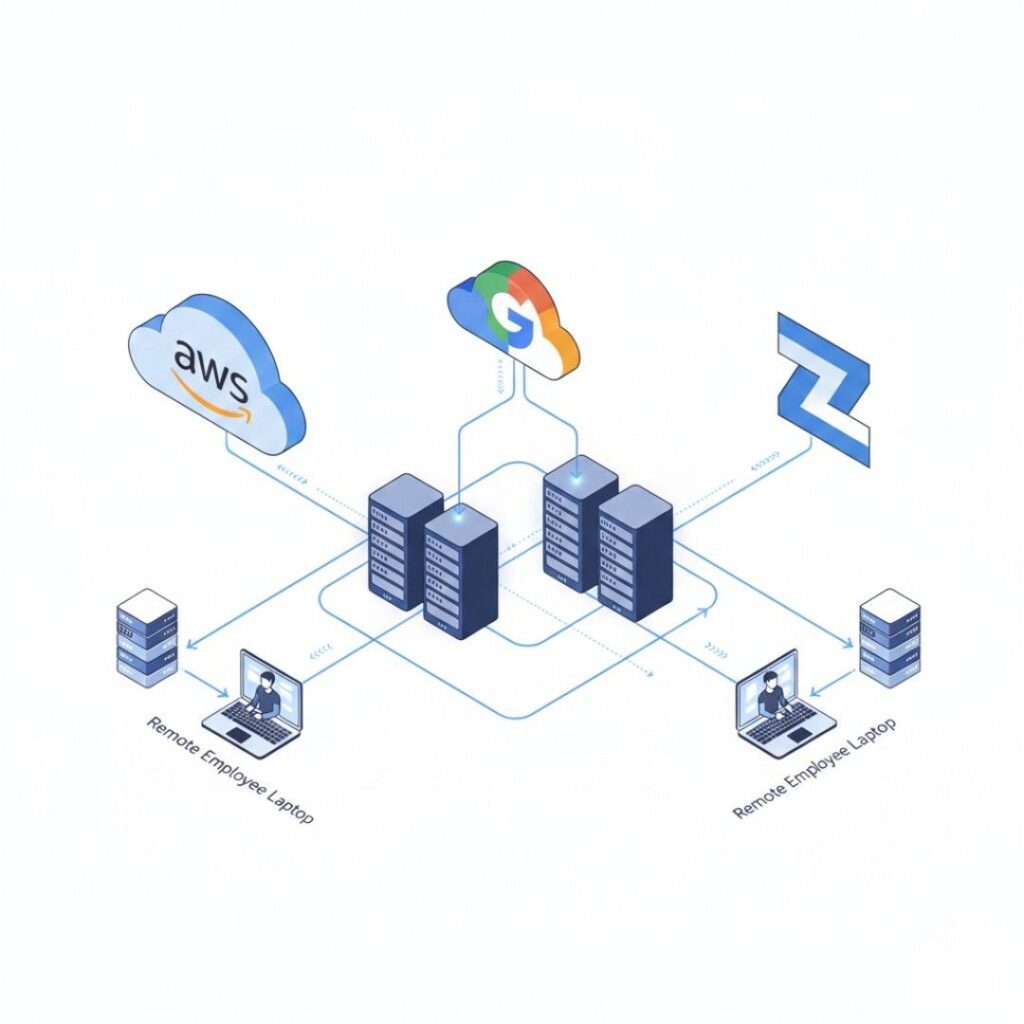
Five years ago, many companies still ran workloads on physical servers in a back office.
Today? Hybrid cloud is the norm.
According to Flexera’s 2024 State of the Cloud Report, 89% of organizations now operate in a multi-cloud environment, juggling AWS, Microsoft Azure, and Google Cloud simultaneously. That’s not simple. That’s orchestration chaos – unless you’ve got proper system administration tools.
And here’s the kicker: remote work isn’t going away. Pew Research Center reported in 2024 that nearly 35% of U.S. workers with jobs that can be done remotely still work from home full-time. That means IT teams must manage distributed endpoints, VPNs, SaaS logins, and device compliance- without ever touching the hardware.
I once worked with a 120-person fintech startup in Austin that tried managing user access manually through spreadsheets. It worked… until they hired 40 people in one quarter. Suddenly, former interns still had database access. A contractor kept Slack credentials for weeks. That’s when they adopted centralized system administration software. Within 30 days, onboarding time dropped from three hours to 25 minutes.
This is the shift:
More cloud infrastructure
More endpoints
More compliance requirements
Less physical oversight
Manual management simply doesn’t scale anymore.
How System Administration Software Works: The 4-Pillar Framework
At its core, system administration software handles four fundamental responsibilities. Miss one? Things break.
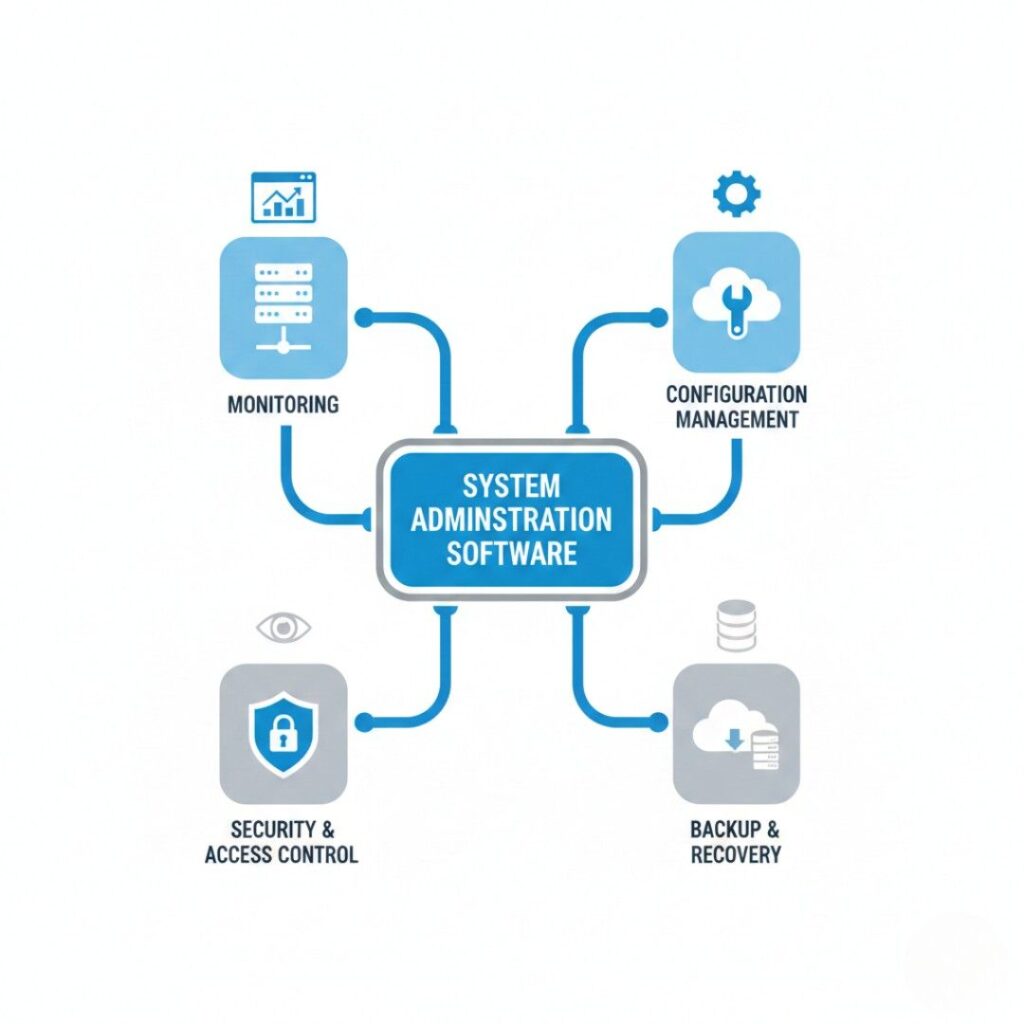
1. Monitoring & Observability
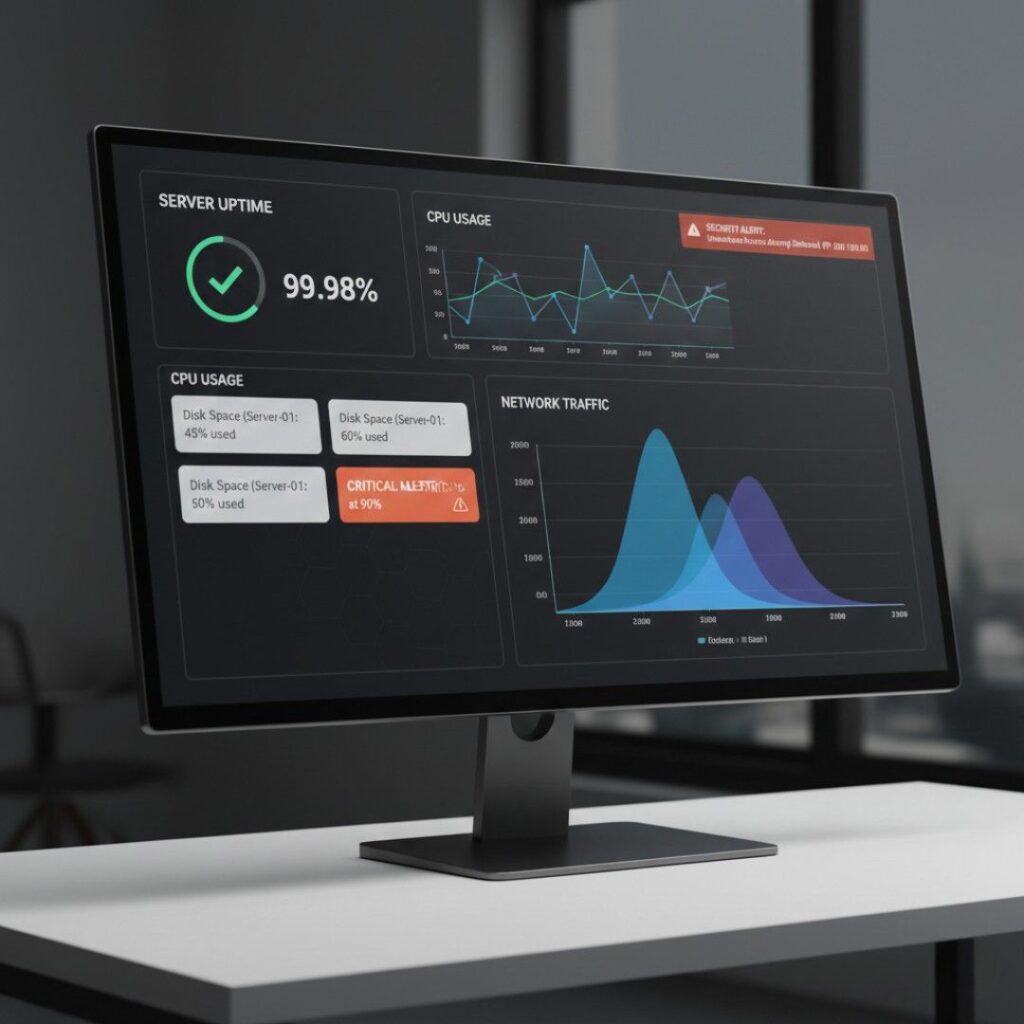
These tools track server health, CPU usage, disk space, network latency, and application uptime in real time.
Platforms like Nagios (https://www.nagios.org/) and Microsoft’s System Center give IT teams alerts before small issues become outages. For example, a disk approaching 90% capacity triggers a warning – long before it crashes production.
Monitoring answers one simple question: Is everything okay right now?
2. Configuration & Provisioning
Configuration management tools – like Ansible (https://www.ansible.com/) or Puppet – ensure every server follows the same blueprint.
Instead of manually installing software on 200 machines, admins define a configuration template. The system replicates it automatically.
I’ve seen teams cut deployment time by 70% using configuration automation. No exaggeration.
3. Security & Access Control
This includes user authentication, permissions management, encryption enforcement, and patch management.
According to Verizon’s 2024 Data Breach Investigations Report, over 74% of breaches involve a human element, often stolen credentials or misconfigured access. System administration software mitigates that risk by enforcing least-privilege policies and automating updates.
Think tools like:
Active Directory (Microsoft)
Okta (identity management)
Endpoint security platforms
Security isn’t just about firewalls anymore. It’s about identity control.
4. Backup & Recovery
When ransomware hits or a developer accidentally deletes a production database – you need restoration options.
The U.S. Cybersecurity & Infrastructure Security Agency (CISA.gov) recommends regular automated backups as a primary defense against ransomware attacks. Without centralized administration software, backup compliance becomes inconsistent fast.
Backups answer the scariest question: What happens if everything goes wrong?
Before automation tools handle everything, admins still need to understand core issues. Knowing basic troubleshooting for PC can make a huge difference when systems fail unexpectedly.
Types of System Administration Software (And How They Compare)
Not all system administration tools do the same thing. Some focus on servers. Others manage endpoints. Some specialize in network monitoring.
Here’s how they typically break down:
| Category | What It Does | Example Tools | Best For |
|---|---|---|---|
| Server Management | Monitor and configure servers | Red Hat Satellite | Data centers |
| Network Administration | Track traffic & detect issues | SolarWinds | Large networks |
| Identity Management | Control user access | Okta, Active Directory | Growing teams |
| Endpoint Management | Manage laptops & devices | Microsoft Intune | Remote workforces |
| Cloud Management | Oversee AWS/Azure/GCP resources | AWS Systems Manager | Multi-cloud orgs |
Plot twist: Many organizations now use integrated platforms instead of standalone tools.
Why? Tool sprawl is real. I’ve seen IT teams juggling 14 dashboards. That’s not efficiency – that’s dashboard fatigue.
Modern platforms aim to unify:
Monitoring
Patch management
Compliance
Reporting
But here’s my contrarian take: more integration isn’t always better. Smaller organizations often benefit from specialized tools that do one job exceptionally well.
There’s no one-size-fits-all answer.
Real-World Benefits (With Numbers That Matter)
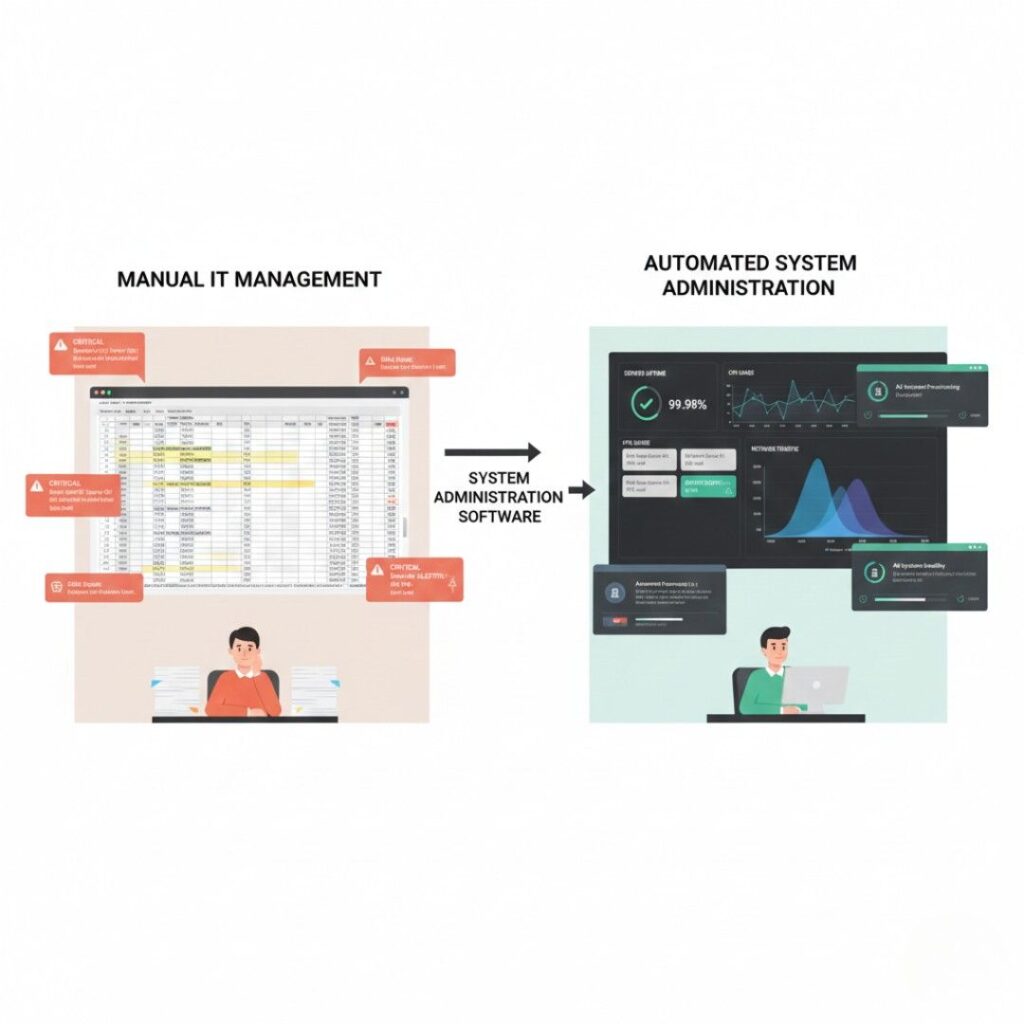
Let’s get concrete.
1. Reduced Downtime
Gartner estimates the average cost of IT downtime ranges from $5,600 to over $9,000 per minute, depending on company size. Even a 20-minute outage can become a six-figure mistake.
Proactive monitoring tools catch issues early. That alone pays for the software
2. Faster Onboarding
In a healthcare SaaS company I advised in 2023, onboarding a new employee required:
Email setup
CRM access
Database credentials
VPN configuration
It took nearly half a day.
After implementing automated user provisioning software, onboarding dropped to 18 minutes. Multiply that by 200 hires per year. That’s reclaimed time – and fewer errors.
3. Compliance Readiness
Regulations like HIPAA and SOC 2 require documented access control and audit trails. System administration software provides centralized logging.
According to the Ponemon Institute’s 2024 Cost of a Data Breach Report (IBM Security), the average global cost of a data breach reached $4.45 million. Proper administration doesn’t eliminate risk – but it dramatically reduces exposure.
Expert Insight: Why Automation Is No Longer Optional
Dr. Gene Kim, co-author of The Phoenix Project and researcher in DevOps methodologies, has repeatedly emphasized that automation in IT operations reduces human error and accelerates recovery time.
His core argument? Manual infrastructure management doesn’t scale in complex systems.
And research from the National Institute of Standards and Technology (NIST.gov) supports this – automation improves consistency in system configuration and reduces vulnerability exposure windows.
In plain English: humans forget. Systems don’t.
When System Administration Software Might Not Be Necessary
Here’s the nuance most articles skip.
If you’re running:
A 3-person startup
One shared cloud server
No regulatory obligations
You might not need enterprise-grade tools yet.
Sometimes a lightweight cloud dashboard is enough.
But growth changes the equation quickly. The tipping point usually comes when:
You hire your 15th employee
You manage multiple SaaS subscriptions
You need structured security controls
That’s when spreadsheets stop working.
The Bottom Line: Why This Matters Now
After years watching companies grow – and occasionally stumble – here’s what stands out:
First: complexity compounds.
Second: automation saves sanity.
Third: security gaps widen fast without oversight.
System administration software isn’t flashy. It won’t trend on social media.
But it’s the reason your systems don’t collapse under growth.
Whether you’re managing five servers or five thousand, understanding what is system administration software gives you leverage over chaos. And in 2025’s multi-cloud, remote-first world, that leverage is everything.
If you’re scaling infrastructure or hiring rapidly, don’t wait for a crisis. Audit your current system management process this week. Identify what’s manual. Then ask: What would happen if this failed tomorrow?
Because that’s the real test.
Frequently Asked Questions
No. Small businesses use it too—especially those managing remote teams or handling sensitive data. Cloud-based administration tools now offer affordable pricing tiers for companies with fewer than 50 employees.
IT management software is broader and may include help desk tools and asset tracking. System administration software focuses specifically on managing infrastructure—servers, networks, users, and security controls.
It reduces risk but doesn’t eliminate it. By automating patch updates, enforcing access control, and monitoring anomalies, it lowers exposure to common attack vectors like credential theft and misconfigurations.
For cloud-based tools, basic setup can take a few days. Enterprise-level deployment with integrations may take weeks or months, depending on infrastructure complexity.
Yes, many open-source tools like Nagios and Ansible are widely adopted. Reliability depends more on implementation and maintenance than licensing model.
IT administrators typically need knowledge of networking, operating systems (Linux/Windows), scripting, and cybersecurity fundamentals. Certifications like CompTIA Server+ or Microsoft Certified: Azure Administrator can help.
You need basic knowledge of operating systems, networking, and troubleshooting. If you're new, start with basic troubleshooting for PC to build a strong foundation.