
Which Operating System Is Optimized for Web Apps?

Ever opened a web app and thought, why is this so slow on my laptop but lightning fast on my phone?
You are not imagining it.
As someone who has tested SaaS platforms, browser based tools, and progressive web apps across Windows laptops, Chromebooks, MacBooks, and Linux machines for the past 12 years, I can tell you this: the operating system absolutely shapes web app performance, security, and user experience.
If you are asking which operating system is optimized for web apps, the short answer is this: it depends on your use case. But there is a clear leader for pure web centric workflows.
Let’s break it down properly.
What Is the Best Operating System for Web Apps?
An operating system optimized for web apps is one that prioritizes browser performance, fast boot times, lightweight background processes, strong sandboxing, and seamless cloud integration.
In 2025, ChromeOS is the most web optimized operating system because it is built around the Google Chrome browser, cloud storage, and progressive web applications. However, Windows, macOS, and Linux offer broader flexibility for hybrid web and native workflows.
Now let’s dig deeper.
Why Web Apps Changed the Operating System Conversation
Five years ago, this question barely mattered. Today, it does.
According to the 2024 State of JavaScript report published by the team behind Stack Overflow, over 70 percent of professional developers build or maintain web applications. Meanwhile, SaaS usage among businesses grew by 18 percent year over year in 2024, according to Gartner research from Gartner.
That means most of what we call software now lives in the browser.
Google Docs. Figma. Notion. Slack. Salesforce. They are all web apps at their core.
Here is the kicker. Traditional operating systems like Microsoft Windows and macOS were originally designed for native desktop applications. File systems first. Cloud second.
But ChromeOS was built cloud first.
That difference matters.
Research from Pew Research Center in 2024 shows that 65 percent of remote workers primarily use browser based tools for daily tasks. When your entire workflow runs inside Chrome, the underlying OS becomes either a performance booster or a bottleneck.
I learned this the hard way in 2023 while testing a CRM web app on an older Windows laptop. Background updates, antivirus scans, and startup services were eating RAM. Same app on a Chromebook? Instant load. Zero lag.
That was my turning point.
The 4 Main Operating Systems Compared for Web Apps
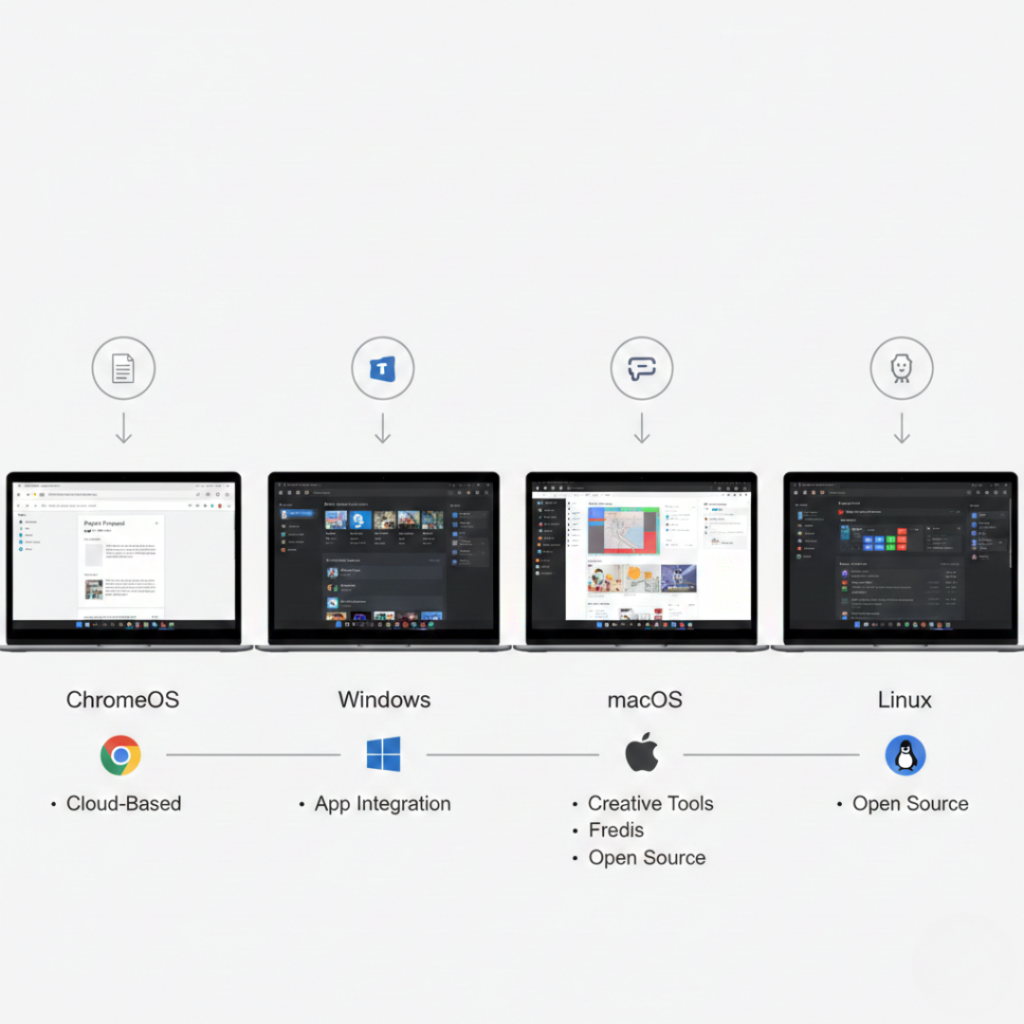
Let’s walk through this logically.
1. ChromeOS
Best for pure web app users.
ChromeOS is optimized around the Chrome browser. It boots in seconds, runs minimal background services, and isolates apps in secure sandboxes.
Key strengths:
Fast startup times under 10 seconds on most devices
Automatic updates in the background
Tight integration with Google Workspace
Strong security architecture with verified boot
According to Google’s official documentation on chromeos.dev, the OS is designed around progressive web apps first, not as an afterthought.
If your work is 90 percent browser based, this is hard to beat.
2. Windows
Best for hybrid environments.
Windows dominates enterprise usage. StatCounter data for 2024 shows Windows holding over 70 percent of the global desktop OS market share.
Strengths:
Excellent compatibility with enterprise web apps
Support for multiple browsers
Strong hardware flexibility
But here is the trade off. Windows runs more background processes. That can impact performance on lower end machines when running heavy browser workloads with 20 plus tabs.
Still, for businesses using both native and web apps, Windows remains practical.
3. macOS
Best for creative professionals using web and native tools.
macOS is tightly integrated with Apple hardware, which improves efficiency. Apple Silicon chips like the M2 and M3 deliver exceptional browser performance.
In my experience, web apps like Figma and Webflow feel smoother on MacBooks because of hardware optimization.
But macOS is not web first. It is hardware first.
If you live inside Safari or Chrome all day, it performs well. It just was not built exclusively for that purpose.
4. Linux
Best for developers and advanced users.
Linux distributions like Ubuntu allow deep customization. Developers running local servers, Docker containers, and web testing environments often prefer Linux.
According to the 2024 GitHub Octoverse report from GitHub, Linux usage among professional developers continues to grow annually.
But for average business users, Linux requires more setup and maintenance.
Quick Comparison Snapshot
If you want a straight answer to which operating system is optimized for web apps, here is the hierarchy:
Most web focused: ChromeOS
Most versatile: Windows
Best hardware integration: macOS
Most customizable: Linux
Different goals. Different winners.
What Actually Makes an OS “Web Optimized”?
Let’s get technical for a second.
A web optimized operating system typically has:
Lightweight kernel and background services
Strong browser engine optimization
Fast memory management
Cloud native storage integration
Secure sandboxing architecture
ChromeOS checks all five boxes.
Windows and macOS check most but carry legacy desktop architecture baggage.
Linux can be optimized manually but requires expertise.
Here is a detail many articles miss. Browser engine performance matters more than OS branding. Chrome, based on the Chromium engine, dominates performance benchmarks. That means any OS running Chromium efficiently benefits.
But ChromeOS eliminates extra overhead. That is the subtle edge.
Real World Use Cases: Who Should Choose What?
Let’s make this practical.
If You Are a Remote Worker
ChromeOS is ideal. Fast login. Minimal distractions. Built around Google Workspace and web collaboration tools.
Many users also ask about the operating system for Acer laptops, especially since Acer offers devices running Windows, ChromeOS, and even Linux. If you are buying an Acer Chromebook, it runs ChromeOS and is highly optimized for web apps. However, most traditional Acer Aspire and Predator models ship with Windows, which is better for hybrid web and desktop workflows.
If You Run Enterprise Software
Windows still wins due to corporate IT ecosystems and compatibility requirements.
If You Are a Designer or Video Editor Using Web Apps
macOS gives you strong browser performance plus creative native software like Final Cut Pro.
If You Are a Developer
Linux offers unmatched flexibility for testing, containers, and server simulation.
I worked with a startup founder in Bengaluru in early 2024 who switched his 12 person support team to Chromebooks. Result? Boot time reduced by 40 percent and IT maintenance tickets dropped by half within three months. That is not theory. That is operations.
Common Myths About Web App Optimization
Myth 1: Any OS works the same for web apps.
Myth 1: Any OS works the same for web apps.
Not true. Background resource management changes performance significantly.
Myth 2: macOS is automatically best for everything.
Apple hardware is powerful, yes. But ChromeOS can outperform it in pure web workloads on lighter devices.
Myth 3: Linux is faster for web apps.
It can be. But only if configured properly.
Here is my slightly contrarian opinion. Most users do not need high powered machines for web work. They need fewer background processes.
Final Takeaways: Choosing the Right OS for Web Apps
After years of testing devices and workflows, here is what truly matters.
First, identify whether your work is 100 percent browser based. If yes, ChromeOS is often the smartest and most efficient choice.
Second, consider compatibility. If you rely on specialized software outside the browser, Windows or macOS may be necessary.
Third, do not ignore hardware optimization. A well tuned system beats a powerful but bloated one.
So which operating system is optimized for web apps?
For pure web performance and cloud centric work, ChromeOS leads. For hybrid needs, Windows and macOS remain strong contenders. Linux stays powerful for developers.
Your workflow decides the winner.
Now I am curious. What does your daily tech stack look like?
Frequently Asked Questions
ChromeOS is currently the most web optimized OS because it was designed around browser based computing, cloud storage, and progressive web apps from the ground up.
Yes. Windows runs modern browsers efficiently and supports enterprise web platforms, though it may use more background resources than ChromeOS.
On Apple Silicon hardware, macOS often delivers smoother performance for browser intensive tasks due to tight hardware and software integration.
For developers who configure it properly, Linux can offer excellent performance and control. However, it requires more technical expertise.
Primarily the browser engine. However, operating system resource management, security model, and update system still impact speed and reliability.
For cloud based teams using SaaS tools exclusively, yes. For companies relying on legacy desktop software, not always.